Specification Meta Information & AI Chat Assist
Specification Meta Information
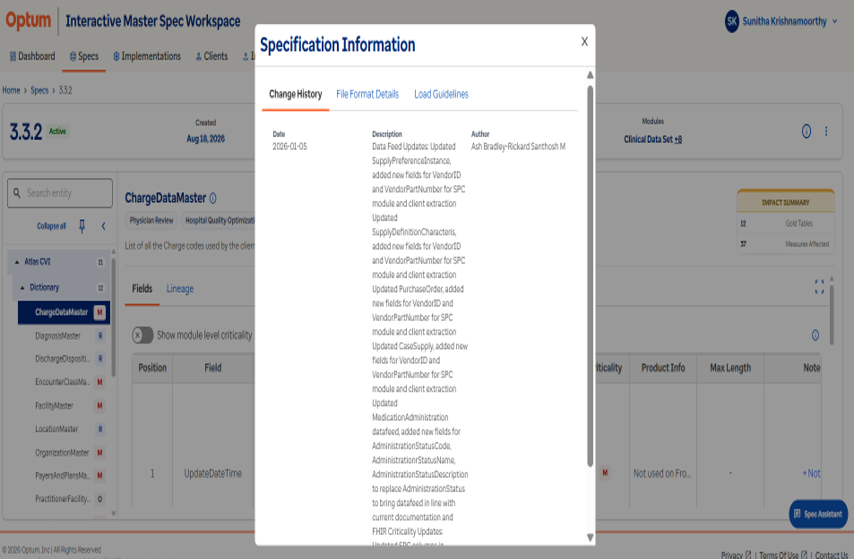
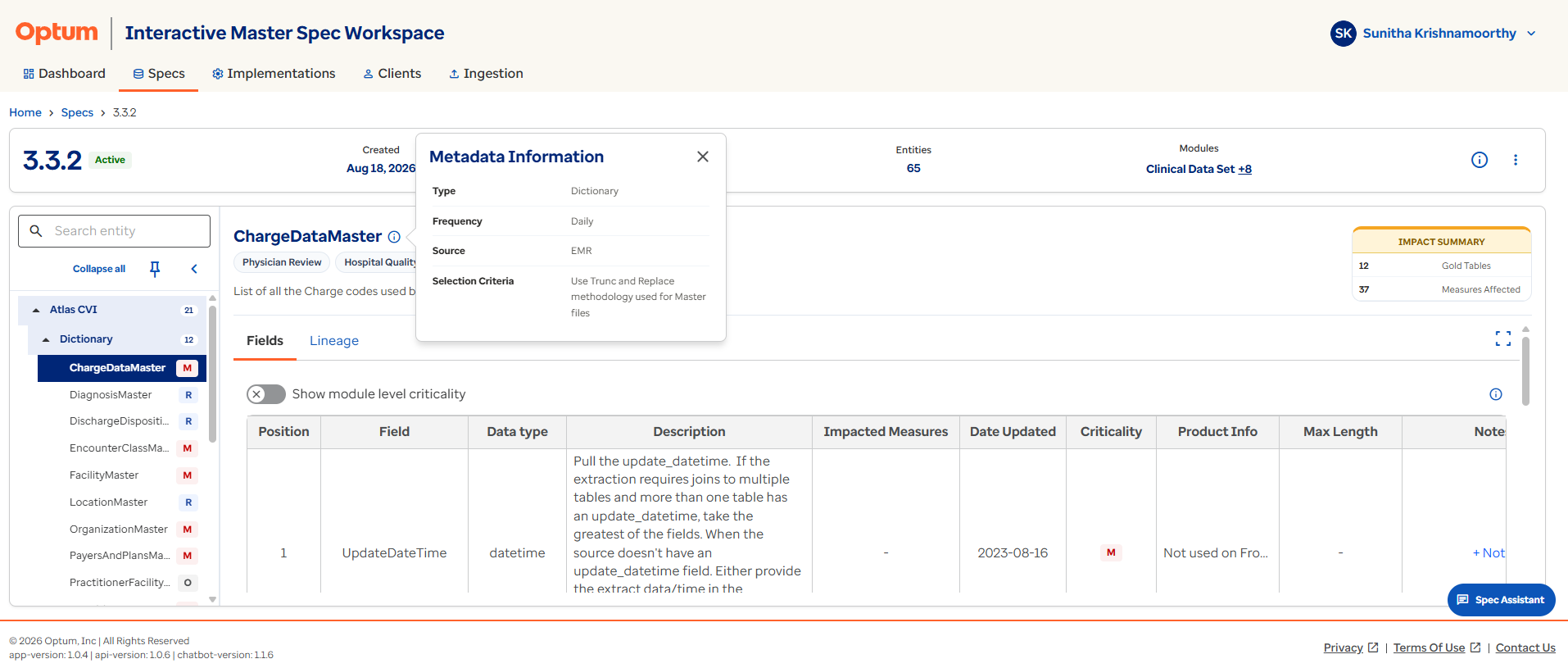
Selecting the Meta Information icon i on the right side of the Specification Details page displays the specification's change history, file-format details, and refresh and historical load guidance. Selecting the information icon beside an entity name i displays entity-specific metadata, including its type, frequency, source, selection criteria, and description.
Specification AI Chat Assist
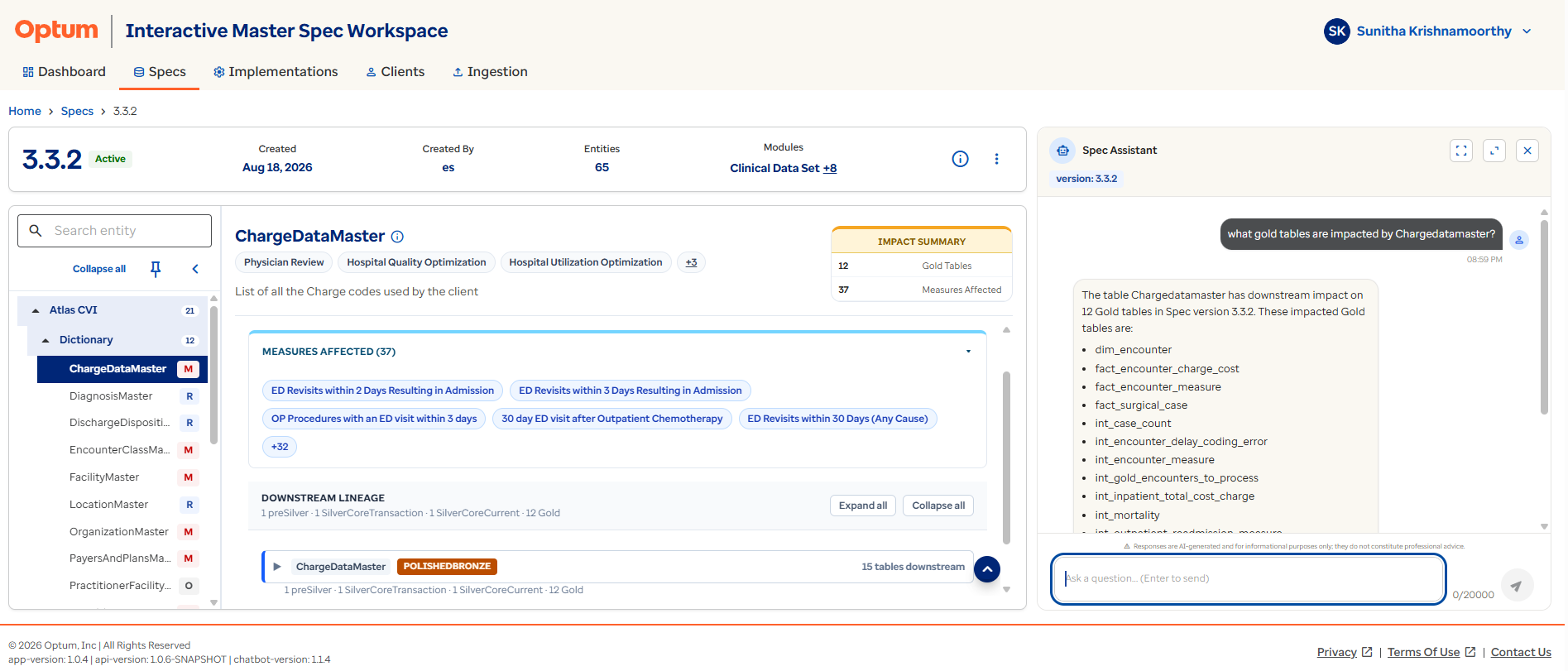
The AI Chat Assist panel is available on the right side of the Specification Details page. It helps users understand specification requirements without manually searching through modules, entities, fields, metadata, lineage, or impacted measures.
Users can ask questions in natural language and receive responses based on the currently selected specification, module, or entity.
Ask, don't search
Before manually digging through modules and fields, try asking the AI Chat Assist directly — it's scoped to the specification, module, or entity you currently have open.