Specification Export
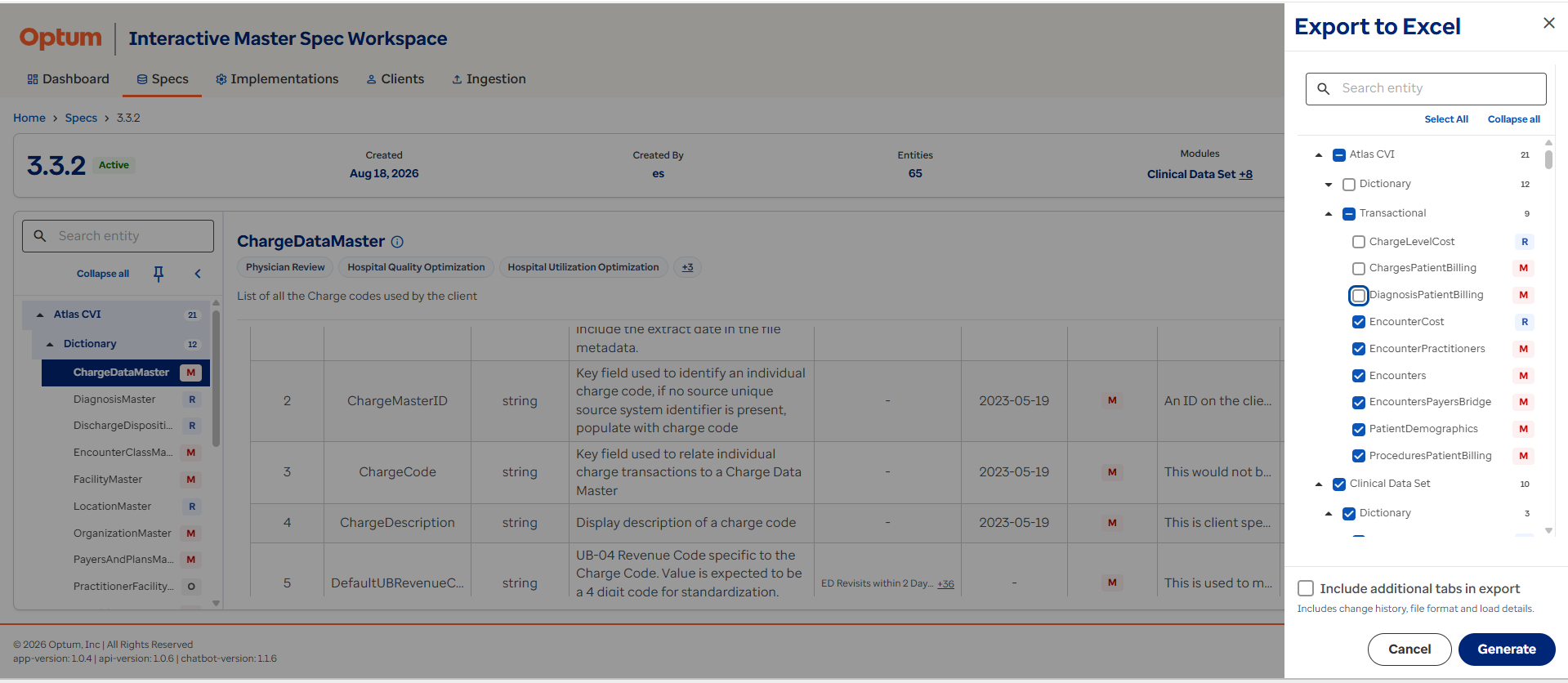
The Export to Excel feature allows users to generate an offline copy of specification information. When a user selects Export to Excel, IMS displays a configurable export panel.
Users can choose the following content:
Modules
Select one or more modules to include in the export.
Tables
Select individual entities or all available entities.
Additional Content
Optionally include:
- Field Definitions.
- Metadata.
- Change History.
- File Format Details.
- Load Guidance.
- Supporting Documentation.
Typical specification export use cases include:
- Client onboarding workshops.
- Technical design reviews.
- Data mapping activities.
- Offline specification review.
- Audit and compliance documentation.
The export provides a structured representation of the specification while allowing users to tailor the content to their needs.
Right-size your export
Only include the modules, tables, and content you actually need for the meeting or review at hand — smaller exports are easier for stakeholders to consume.