Specification Lineage
The Lineage tab provides end-to-end visibility into how data flows through the platform. When users switch from the Fields tab to the Lineage tab, IMS displays the downstream relationships associated with the selected entity.
The lineage view traces data movement across multiple processing layers. Users can expand and collapse lineage branches to understand how a table contributes to downstream reporting and analytics.
The lineage view helps answer questions such as:
- What downstream tables use this entity?
- Which transformations consume this data?
- What business processes are affected if this data changes?
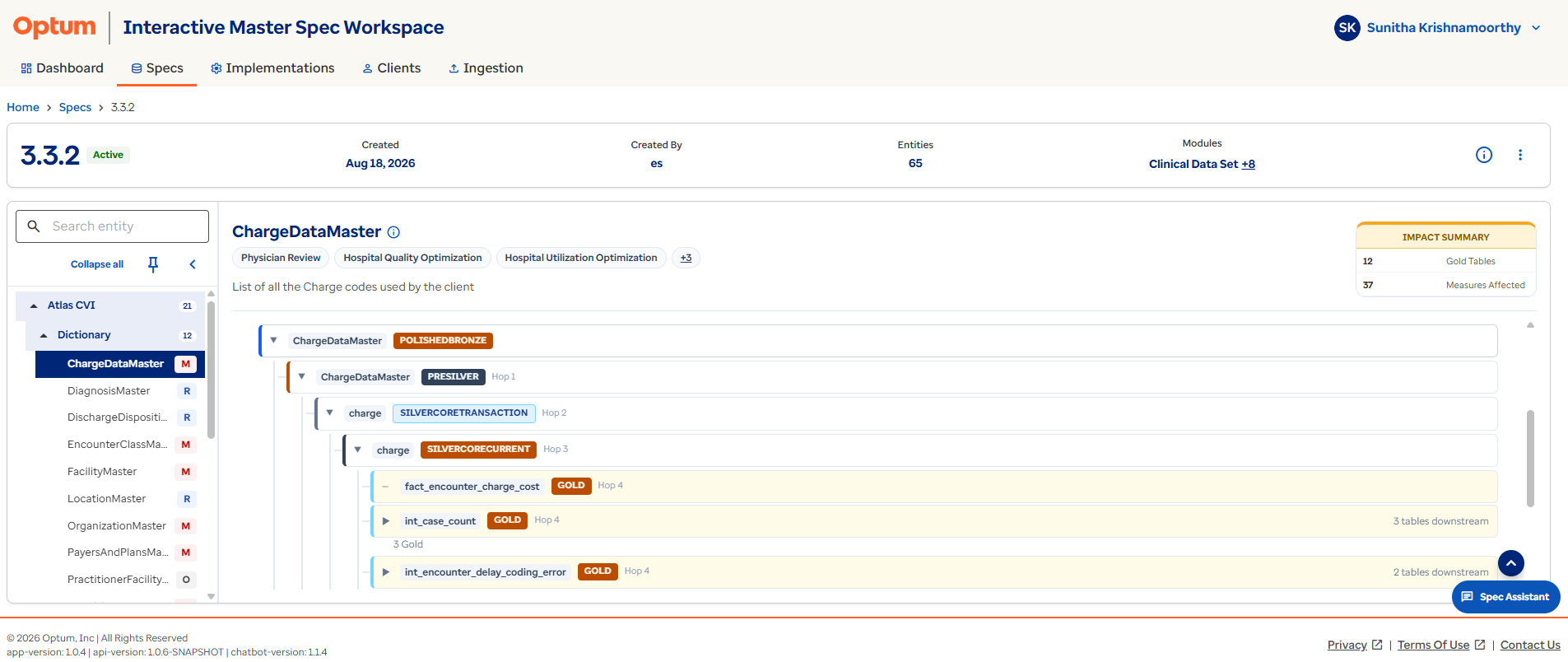
Check before you change
Check lineage before proposing a schema or mapping change — it shows every downstream consumer that could break.
Specification Measures Impacted
Above the lineage diagram, IMS provides a dedicated Measures Impacted section. This section displays all known business measures that consume data from the selected entity.
The section allows implementation teams to understand the business value of the selected table without navigating through individual lineage nodes.
Users can quickly identify:
- Reporting areas affected by the table.
- Business metrics dependent on the table.
- Potential implementation risks.
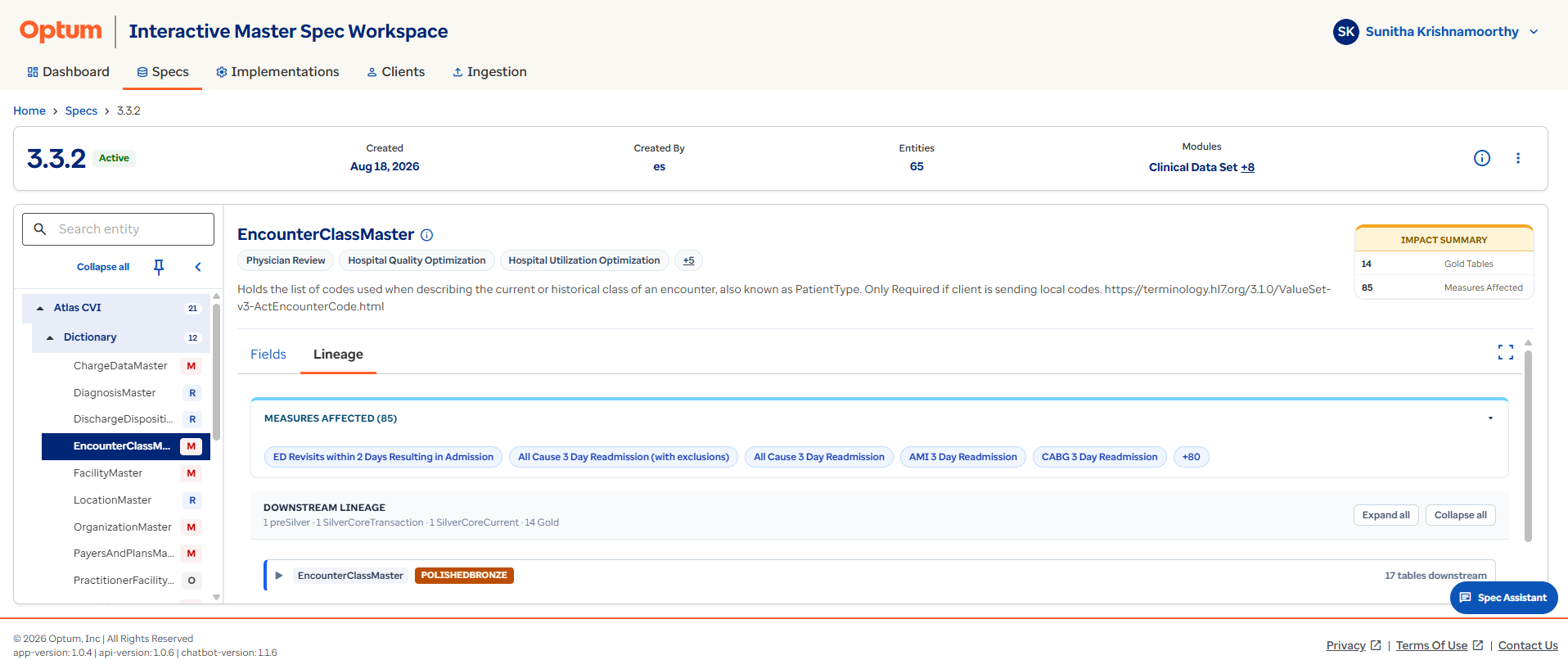
Check business value first
Use Measures Impacted as a quick business-value gut check before you invest time exploring the full lineage graph.