Implementations
An implementation is a client-specific workspace created from a selected Specification Version. A specification defines standard product requirements, while an implementation allows those requirements to be applied and managed for a specific client.
Each implementation acts as a dedicated onboarding workspace where implementation teams and client users can:
- Review purchased modules.
- Understand required entities and fields.
- Capture implementation-specific notes.
- Review lineage and measure impacts.
- Export implementation documentation.
- Track onboarding and implementation progress.
An implementation can be understood as the operational version of a specification for a specific client.
Implementation Overview
| Item | Example |
|---|---|
| Client | Acme Health |
| Product | Crimson AI |
| Specification Version | 3.3.7 |
| Implementation Name | Acme Health v3.3.7 Rollout |
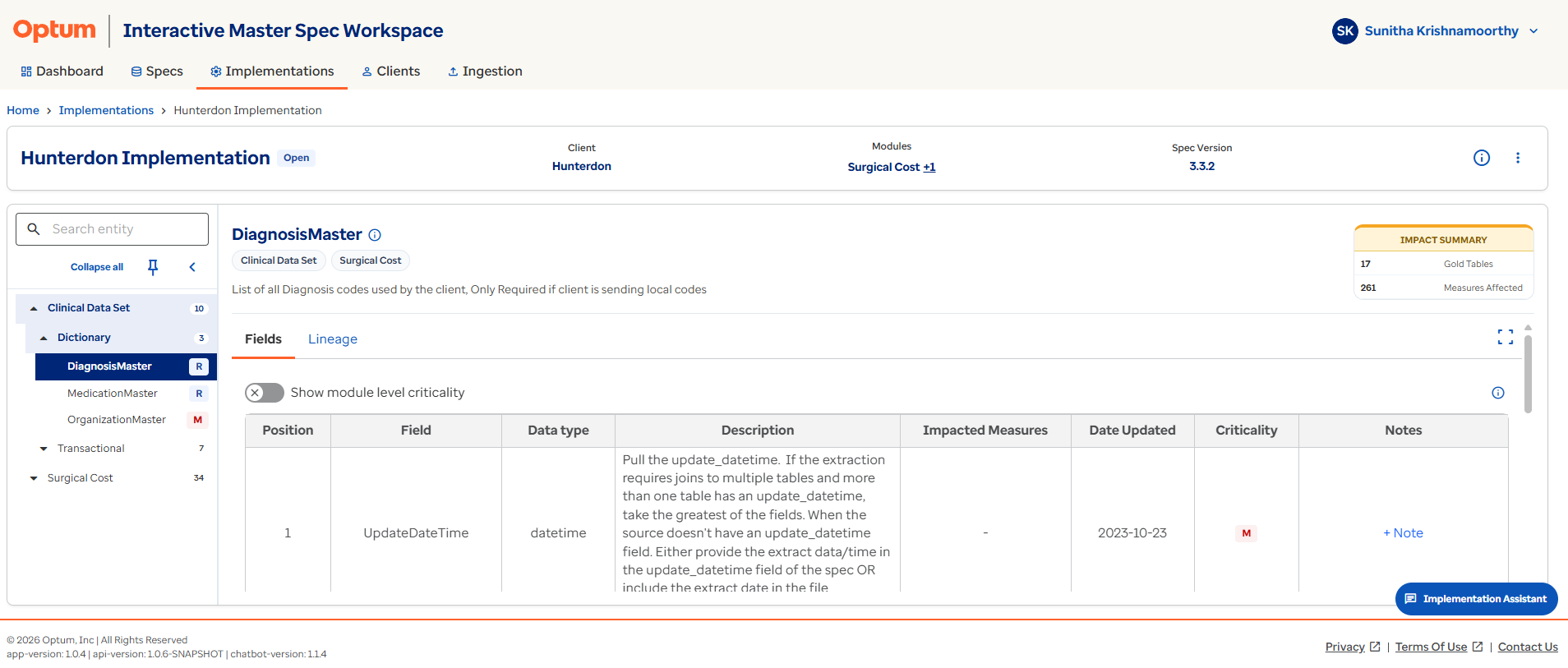
Creating a New Implementation
New implementations are created from the Implementations page.
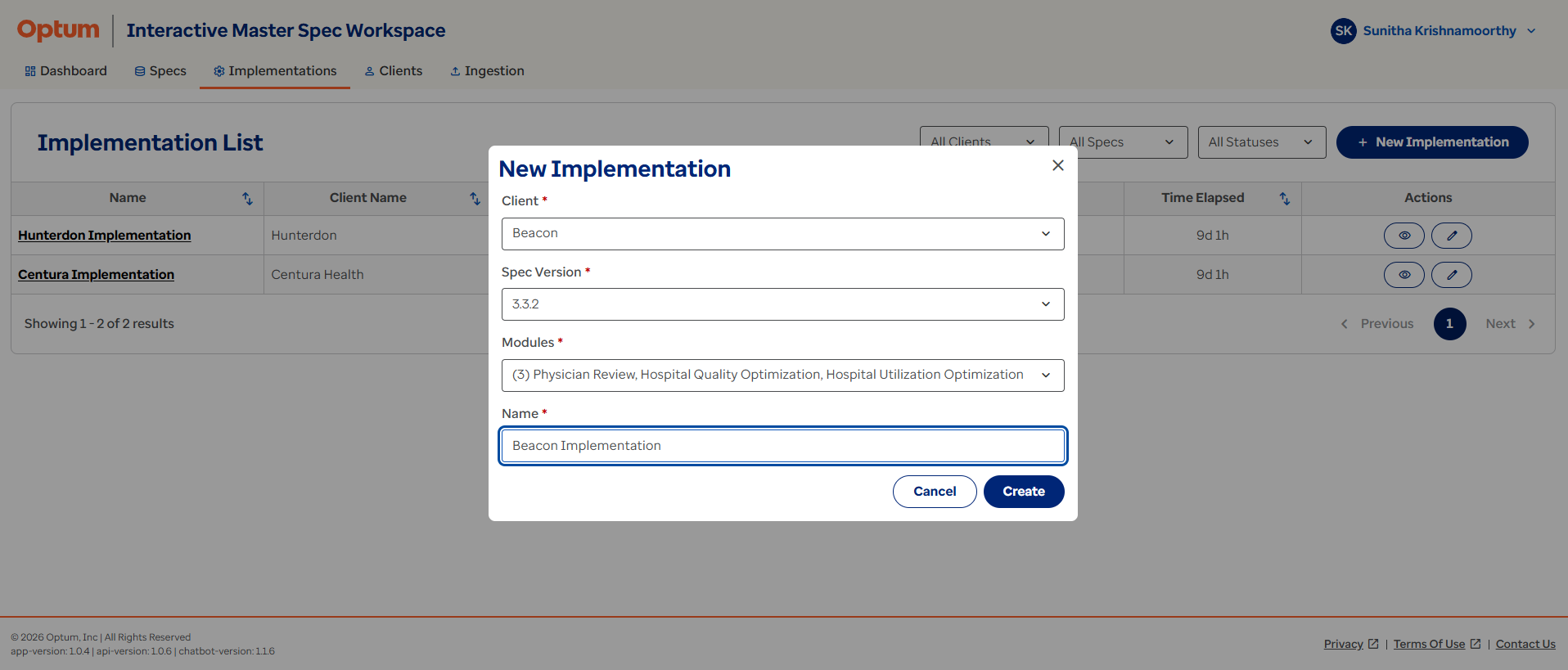
To create an implementation:
- Select
+ New Implementation. - Select the Client.
- Select the Specification Version.
- Select the modules purchased by the client.
- Enter an Implementation Name.
- Save the implementation.
Once created, the implementation becomes available for review and ongoing implementation work. The client must already exist in IMS before an implementation can be created.
Client required first
If the client doesn't already exist in IMS, create the client record before starting a new implementation.
Implementation Summary Information
When an implementation is opened, IMS displays a summary view similar to the Specification Details page.
The Implementation Summary provides a quick overview of:
| Information | Description |
|---|---|
| Implementation Name | The name assigned during creation. |
| Client | The associated client. |
| Product | The product linked to the implementation. |
| Specification Version | The source specification used. |
| Status | The current implementation status. |
| Modules | The purchased modules included. |
| Entity Count | The total number of entities available. |
| Created Date | The date on which the implementation was created. |
Users can also access:
- Meta Information.
- Export Functionality.
- Notes.
- Lineage.
- Measure Impact.
Implementation Module and Entity Navigation
The left-hand navigation panel displays the modules available within the implementation's source specification. Modules organize specification content into logical business groupings.
When a module is expanded, users can view:
- Dictionary Tables.
- Transactional Tables.
The Physician Review example contains:
| Table group | Examples |
|---|---|
| Dictionary Tables | BodySiteMaster, ChargeDataMaster, ClientMeasuresMaster, DeviceMaster |
| Transactional Tables | Encounter, Claims, Procedure |
Selecting a table from the navigation panel opens the corresponding Entity/Table Details page. This structure allows users to move between modules, entities, and field definitions without leaving the implementation workspace.
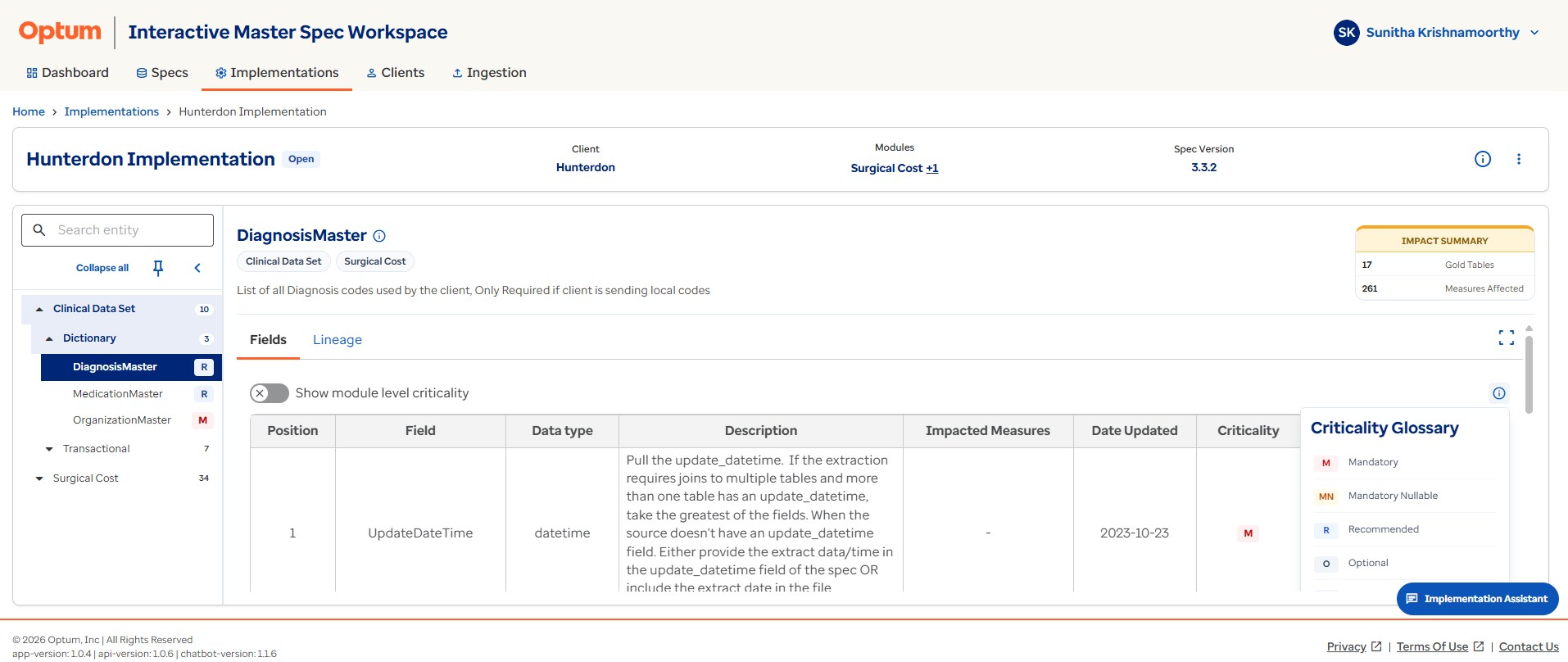
Confirm scope at a glance
Implementations only show the modules the client actually purchased, so navigation here is a quick way to confirm the client's exact scope.