Specifications
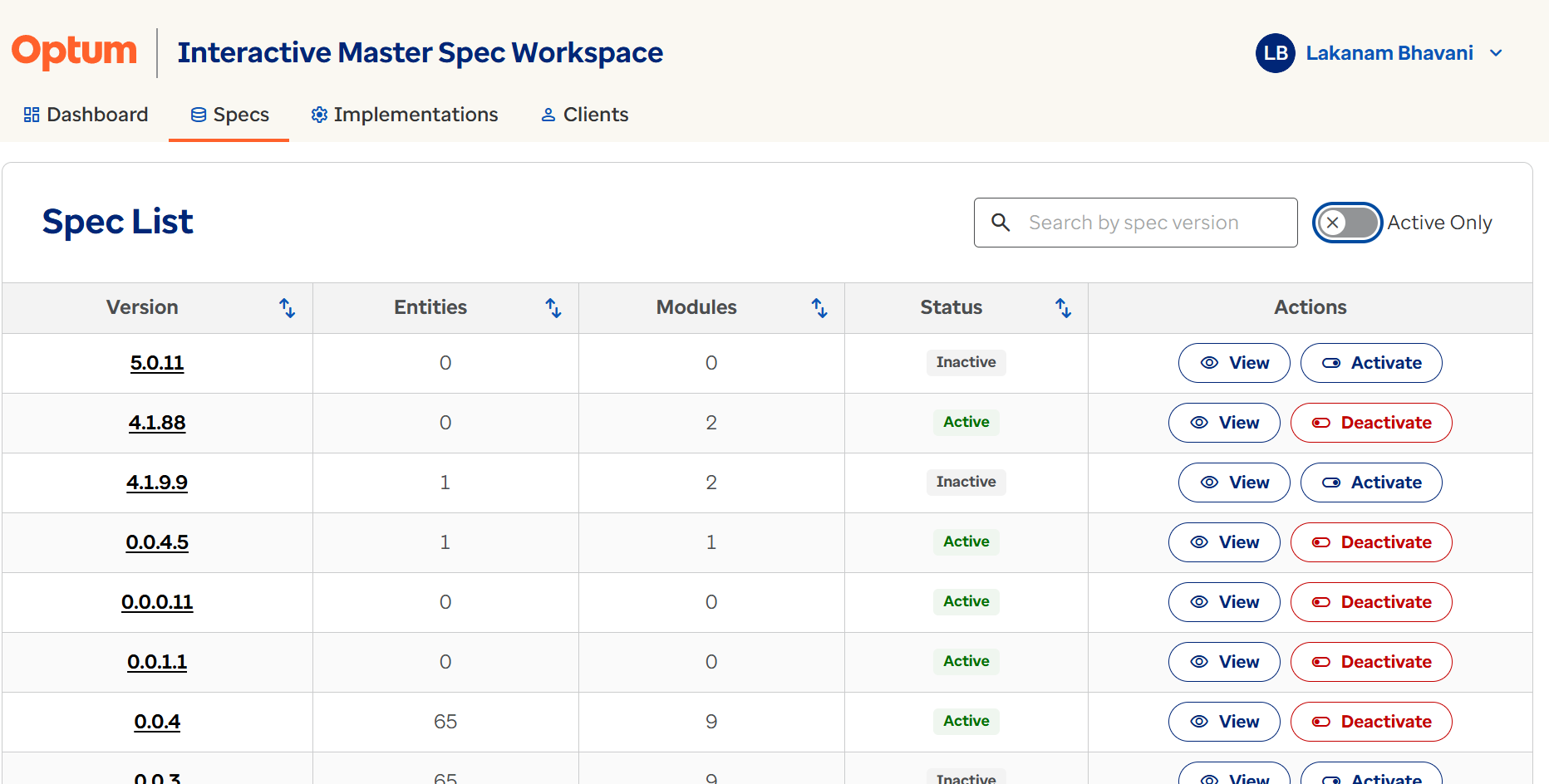
The Specs page lists available specification versions. Users can filter specifications by product, review active and inactive versions, understand modules, entities, and field requirements, and open a specification for detailed review.
Specification Overview
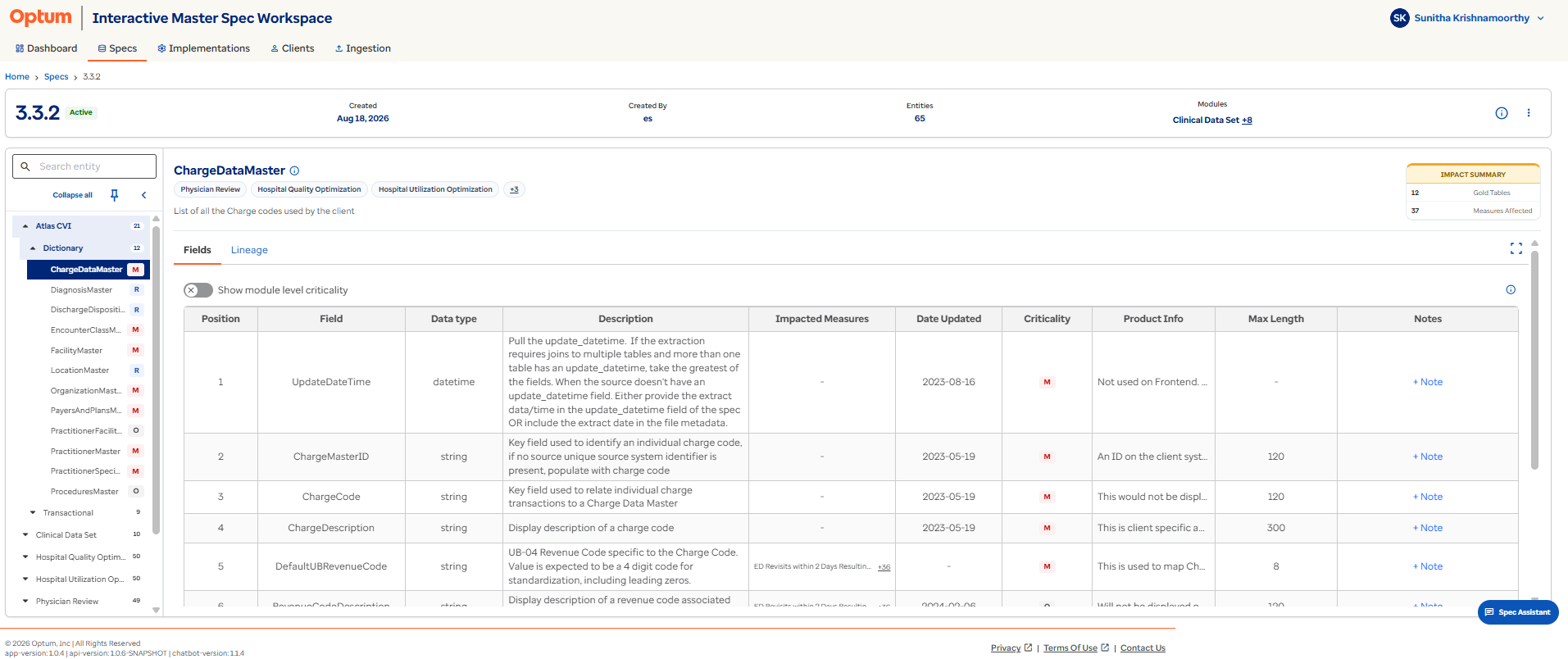
When a user selects a Specification Version from the Specs page, IMS opens the Specification Details workspace. This workspace is the central location for reviewing specification requirements, including:
- Modules.
- Entities and tables.
- Field definitions.
- Specification metadata.
- Lineage.
- Measures impacted by an entity or field.
- Export options.
The Specification Details page helps users understand exactly what data is required for implementation and how that data is used across downstream reporting and analytics.
Central hub
Treat the Specification Details workspace as your single starting point for reviewing everything about a specification — modules, fields, lineage, notes, and exports are all one click away.
Specification Summary Information
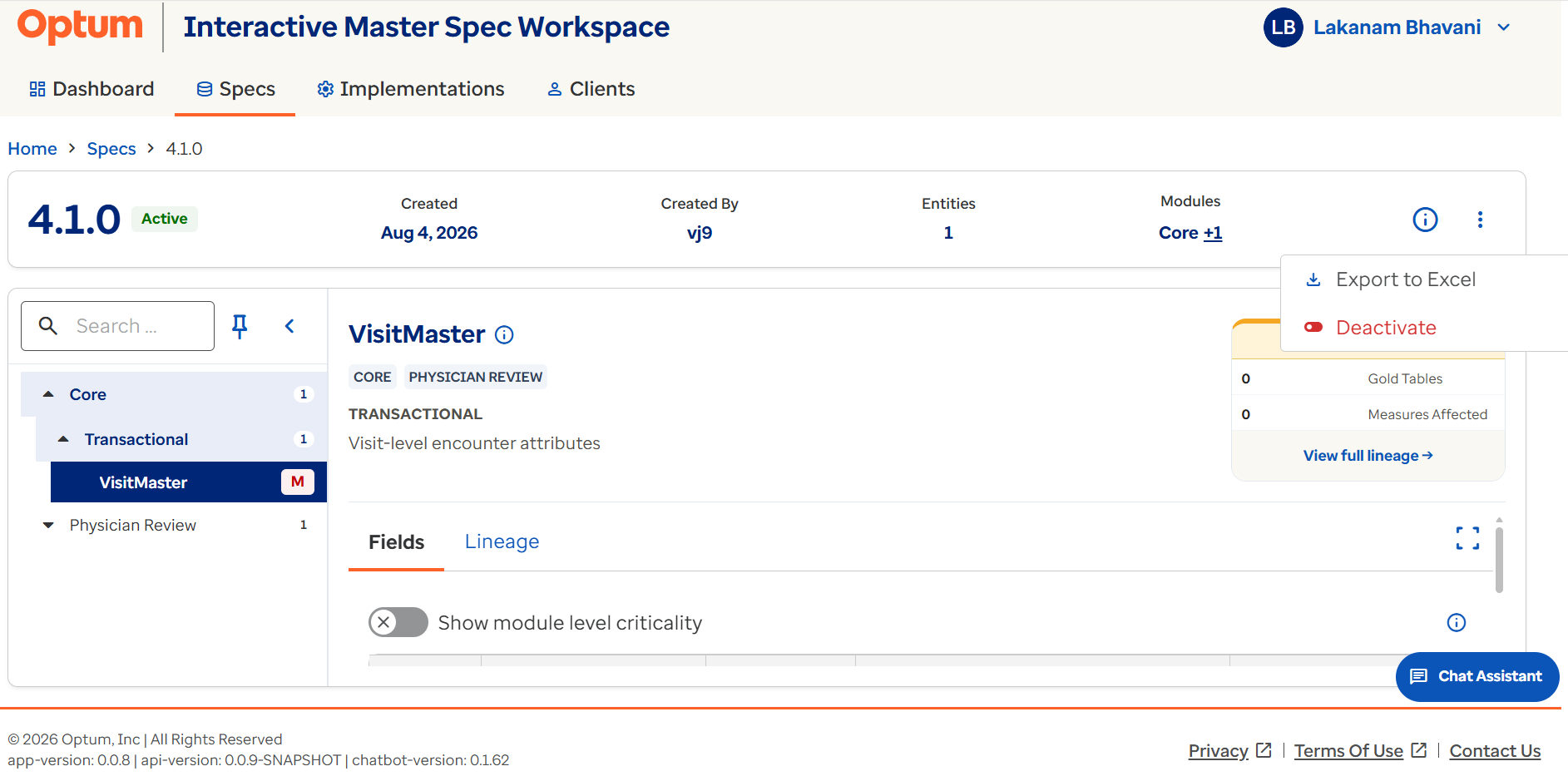
The upper section of the Specification Details page provides a summary of the selected specification.
| Information | Description |
|---|---|
| Specification Version | The version of the selected specification. |
| Product | The product associated with the specification. |
| Status | Indicates whether the specification is Active or Inactive. |
| Created Date | The date on which the specification was created. |
| Created By | The user who created the specification. |
| Entities | The total number of entities included in the specification. |
| Modules | The list of modules included in the specification. |
Users can also access the following actions or supporting information from the specification workspace:
- Meta Information.
- Export to Excel.
- Deactivate Specification.
Specification Module and Entity Navigation
The left-hand navigation panel displays all modules available within the specification. Modules organize specification content into logical business groupings.
When a module is expanded, users can view:
- Dictionary Tables.
- Transactional Tables.
The following example shows the structure of the Physician Review module:
| Table group | Examples |
|---|---|
| Dictionary Tables | BodySiteMaster, ChargeDataMaster, ClientMeasuresMaster, DeviceMaster |
| Transactional Tables | Encounter, Claims, Procedure |
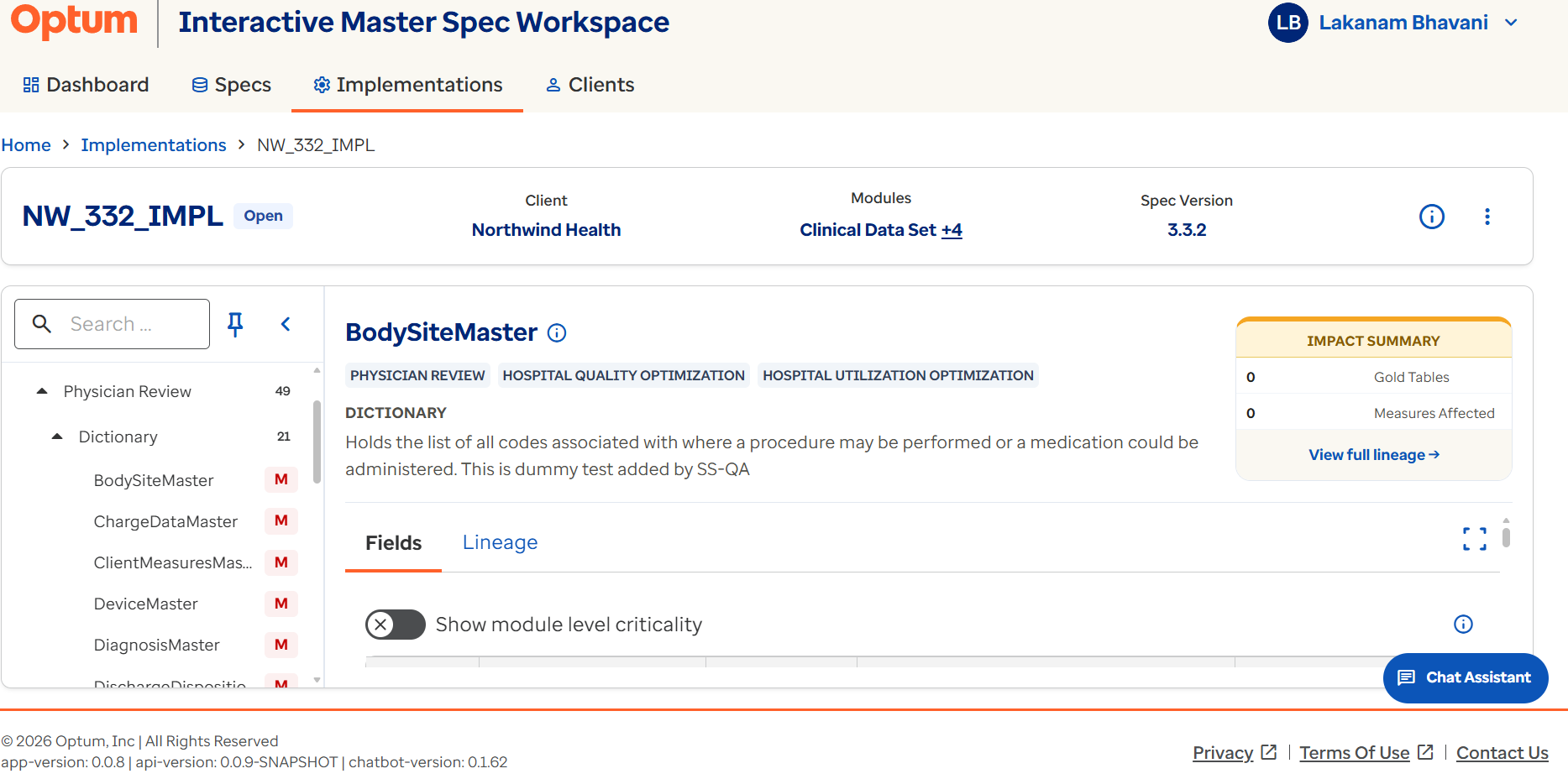
Selecting a table from the navigation panel opens the corresponding Entity/Table Details page.
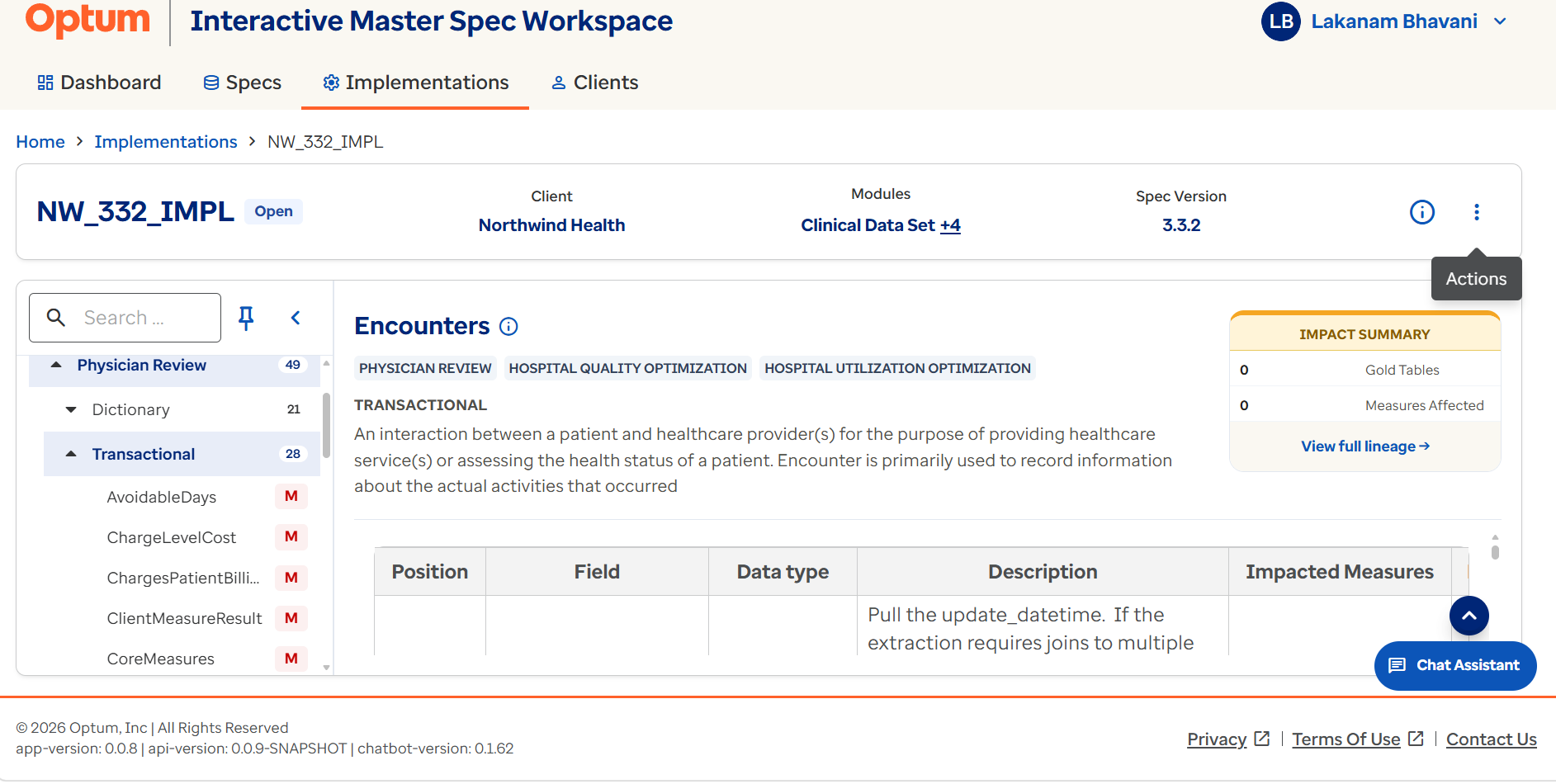
This structure allows users to move between modules, entities, and field definitions without leaving the specification workspace.
Dictionary vs. transactional tables
Dictionary tables hold reference/lookup data, while transactional tables hold event- or record-level data — knowing the difference helps you find the right entity faster.