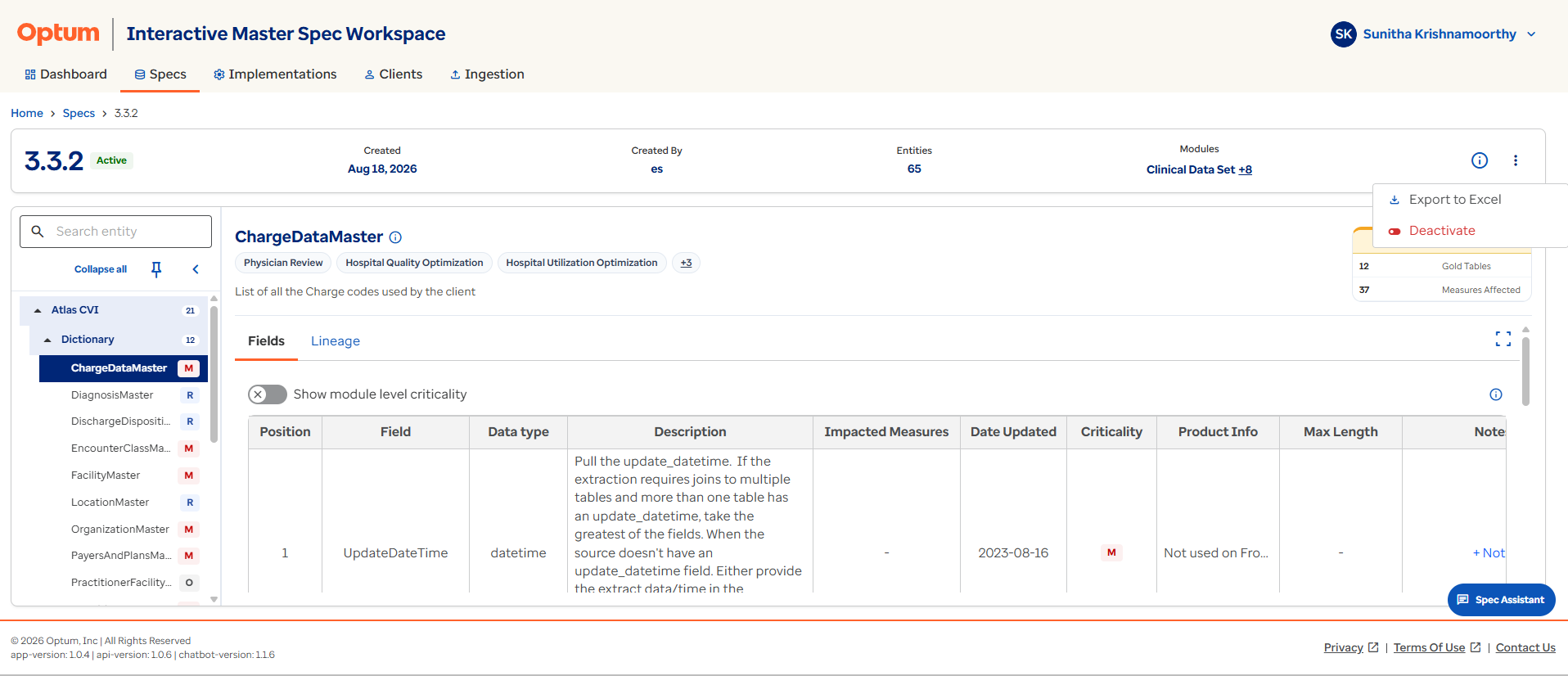
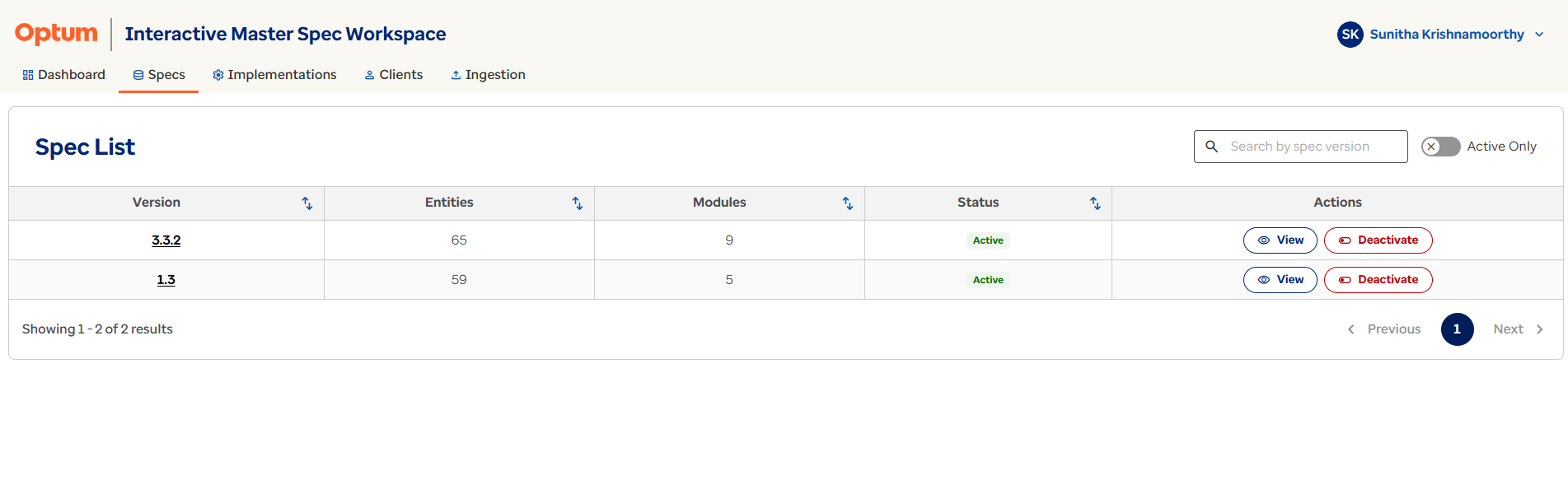
Specification Deactivation
Administrators can deactivate a specification from the Actions column on the Spec Tab or from the three-dot menu on the Specification Details page. A deactivated specification cannot be used for new implementations but can be reactivated at any time. Existing implementations remain unaffected.
When a specification is deactivated:
- Existing implementations continue to function normally.
- Existing implementation data remains accessible.
- Existing lineage, notes, and issue records remain available.
- New implementations can no longer be created using the deactivated specification version.
This preserves historical implementations while preventing new onboarding activities from using outdated requirements.
Deactivation is not deletion
Deactivating a specification only blocks new implementations from using it. Existing implementations, their data, lineage, and notes are unaffected and remain fully accessible.