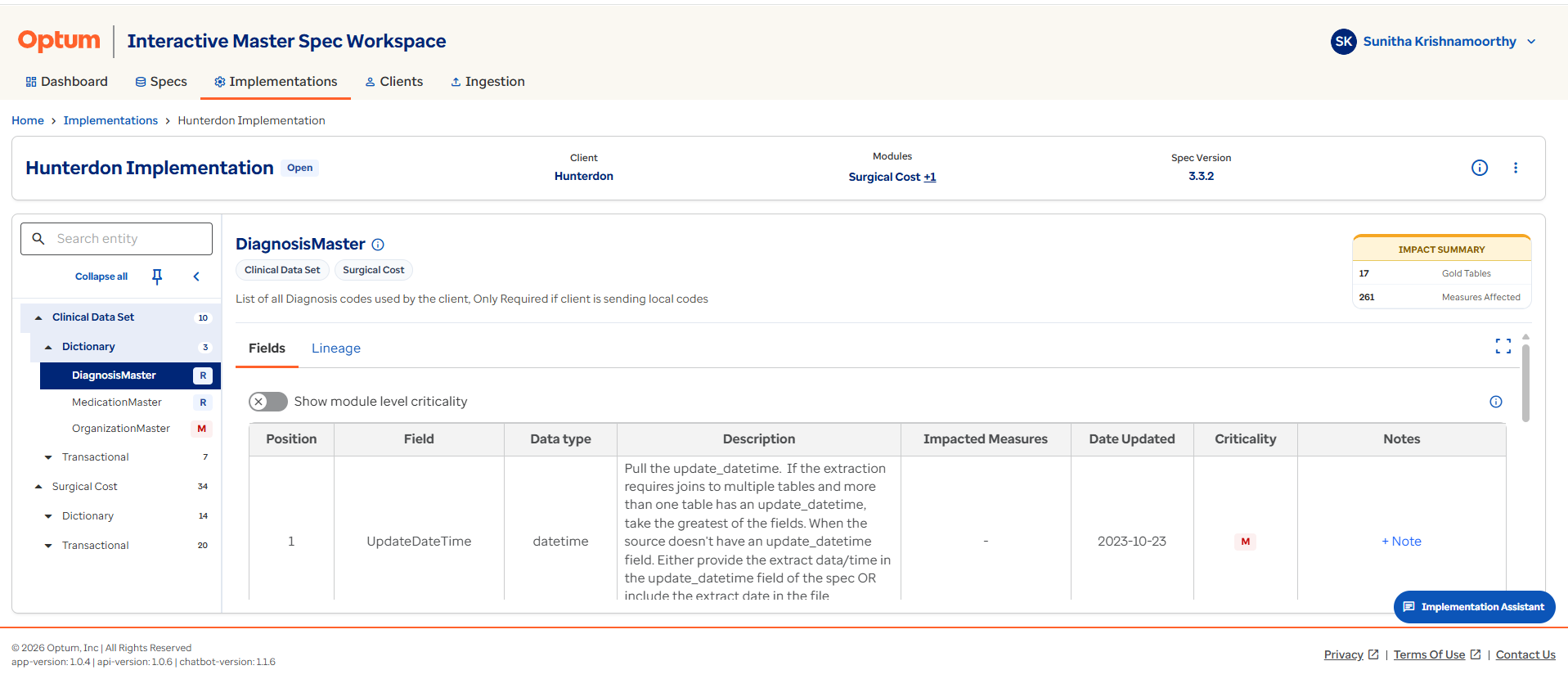
Implementation Fields
The Fields tab displays all fields defined in the selected entity. It provides the detailed data requirements needed for onboarding and implementation.
The implementation Fields tab is similar to the specification Fields tab, with an additional Notes area that can be used at the entity or field level to provide implementation context that may not exist in the base specification.
For each field, users can review:
| Column | Description |
|---|---|
| Position | The field order within the entity. |
| Field Name | The technical field name. |
| Data Type | The expected data format. |
| Description | The business and technical explanation of the field. |
| Date Updated | The date of the last update. |
| Impacted Measures | Downstream measures that consume the field. |
| Criticality | The importance of the field. |
The Meta Information tab highlights specification change history, file format details, and load details for refresh and historical use cases.
Notes travel with the implementation
Use field-level Notes here to record client-specific mapping decisions — they travel with the implementation even if the base specification is later updated.